A signal command should be a message reply to be detected by the copier
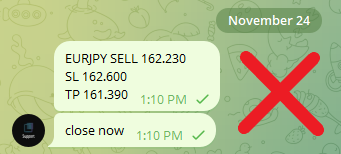
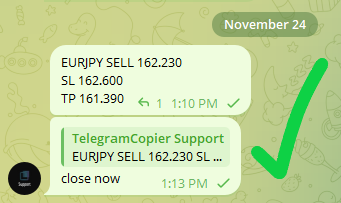
How a detected command is shown in the copier app

Examples of signal commands
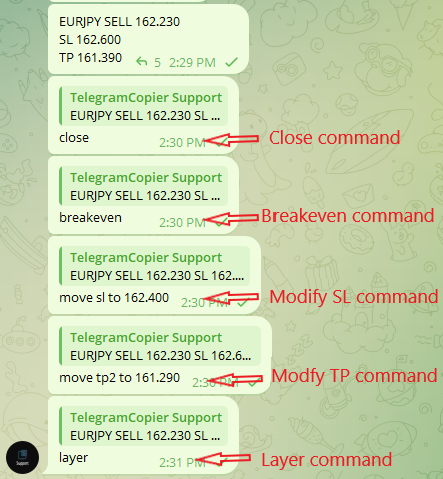

Copier understands commands by keywords
When a signal message receives a reply, the copier will determine if it is a signal command by the keywords used in the reply message.
The reply can be a short message or a long paragraph. The copier will look for keywords irrespective of the reply length or the intended meaning. When required keywords are present, the copier will detect them and treat them as signal commands.
Example: Updating the stop-loss
For a stop loss update to to be successfully detected by the copier, the following data is required.
- A modify keyword
- A stop-loss keyword
- Price

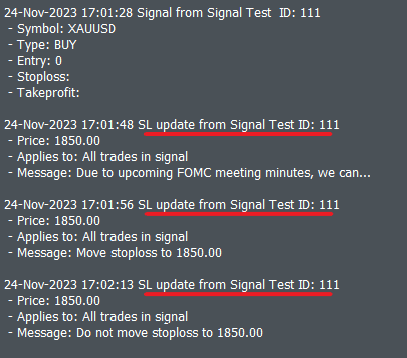
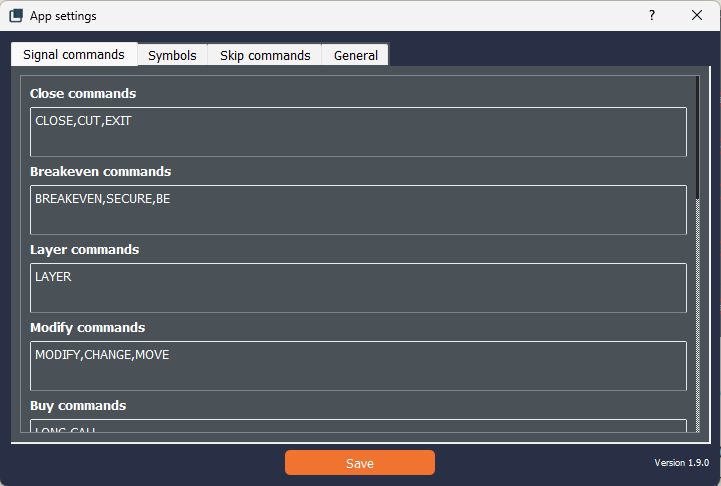
Keywords used by signal providers for each command can be configured in the copier app settings. This section can be modified by the user in order to match their preference and requirements.
Addressing updates with TP levels
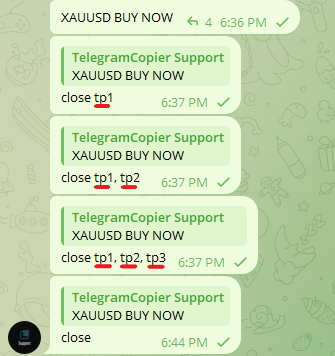
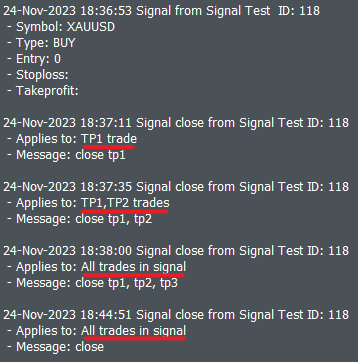
The copier can also detect TP levels if they are mentioned in the reply.
If no TP level is mentioned, the copier will assume it is applied to all TP levels.
Rules applicable to commands
- Two commands cannot be included in the same reply.
- If a reply has two command keywords in it, priority will be given to the first keyword in the reply.
- Entry update will only be applied to pending orders.
| Update/ Command | Required data | TP level keywords applicable? |
| Update entry | – Modify keyword – Entry keyword – Price | Yes, optional |
| Update stop-loss | – Modify keyword – Stop-loss keyword – Price | Yes, optional |
| Update take-profit | – Modify keyword – Take-profit keyword – Price | Yes, optional |
| Move to breakeven | – Breakeven keyword | Yes, optional |
| Close trades | – Close keyword | Yes, optional |
| Open a layer trade | – Layer keyword | Not used |