The T2M Activation Bot (@t2m_activations_bot) on telegram can be used to register/ update MT4/5 account numbers for the Telegram2MT4 copier by yourself.
To get access to the activation bot, you will need to be a paid customer of the copier. If you are already a customer and do not have access to this bot, please contact @T2MSupport on telegram.
Step 1
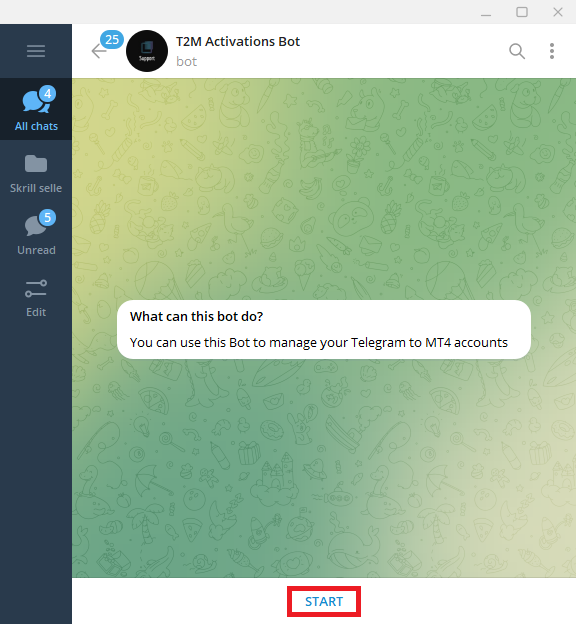
Visit @t2m_activations_bot on Telegram and press the start button at the bottom (highlighted in red).
Step 2
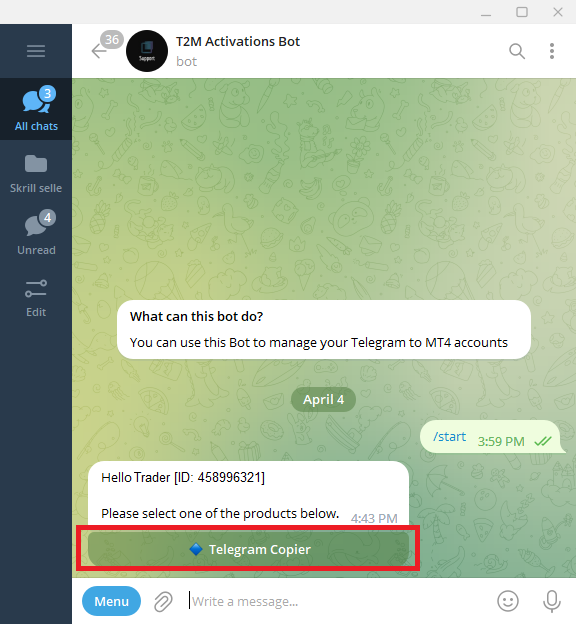
You will be greeted by the bot with the products purchased. to continue with the activation, select Telegram Copier (highlighted in red).
Step 3
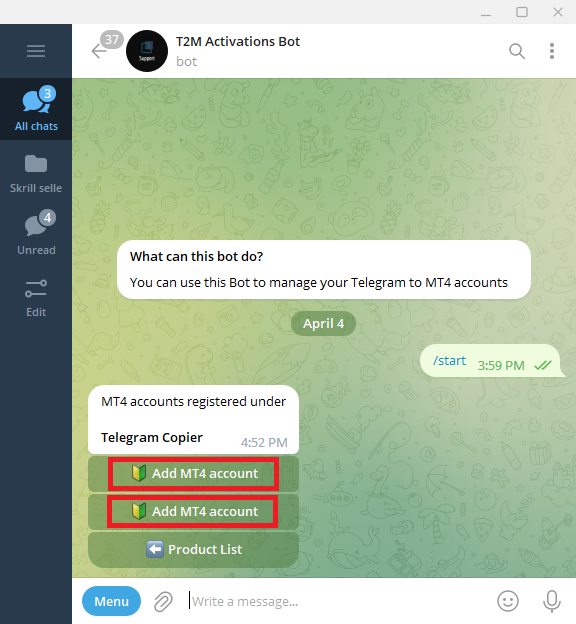
Depending on the number of licenses purchased, the bot will display a button for each purchased license to add MT4/5 account numbers.
The following example shows that the user has 2 licenses purchased. MT4/5 accounts can be added by clicking on each button (highlighted in red).
Step 4
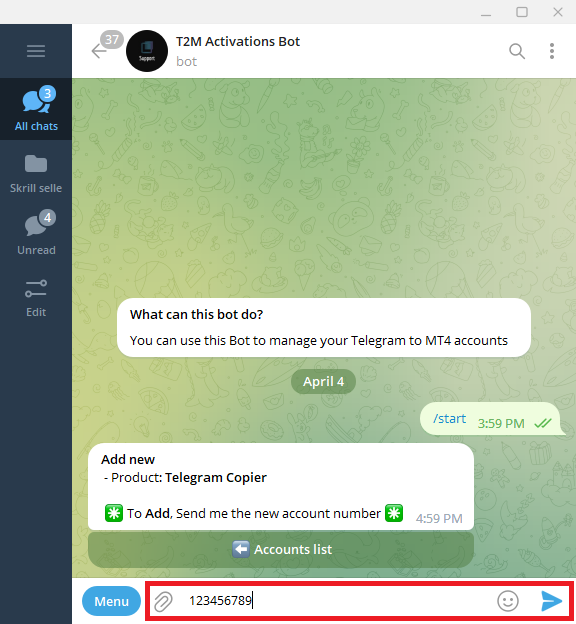
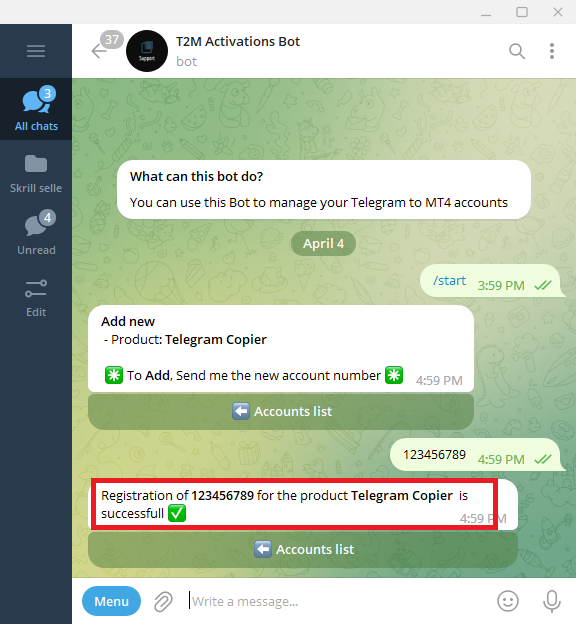
To add an account, Enter it in the message input as shown below and send the MT4/5 number to the bot.
Once sent, the bot will send a confirmation on the added account number (both highlighted in red).
Step 5
Once complete, press back buttons ⬅️ to go back in menu.
Repeat the steps above to register more numbers.
Change/ Edit numbers
To change/edit already registered numbers, follow the same steps above.